 for
for
 for
for
This guide walks you through how to set up, use, and get the most out of Perspectives, an AI assistant dedicated to making clinicians' lives easier.
Click this link to go to the Chrome Webstore:
Once there, download the extension by clicking Add extension and confirming.
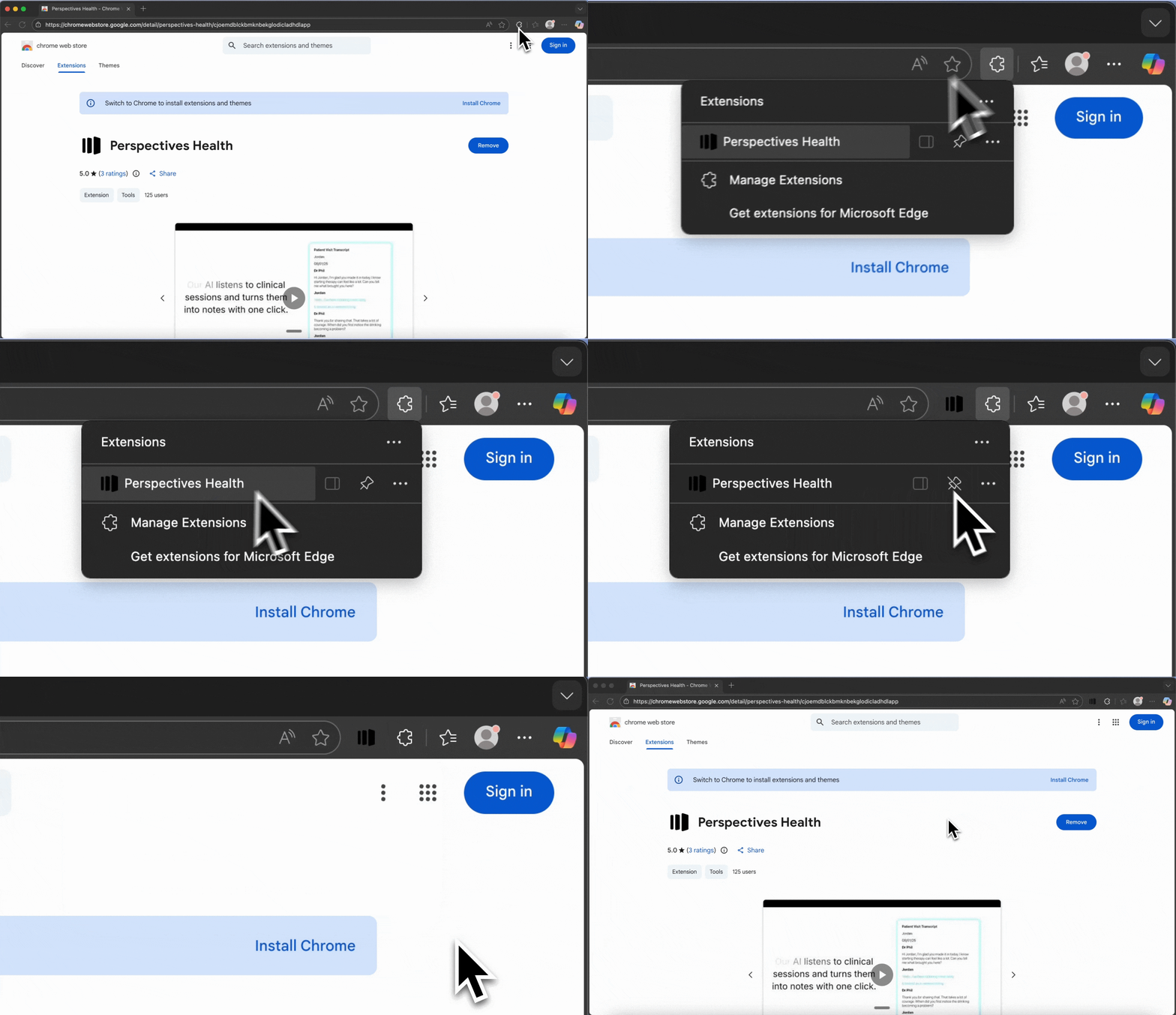
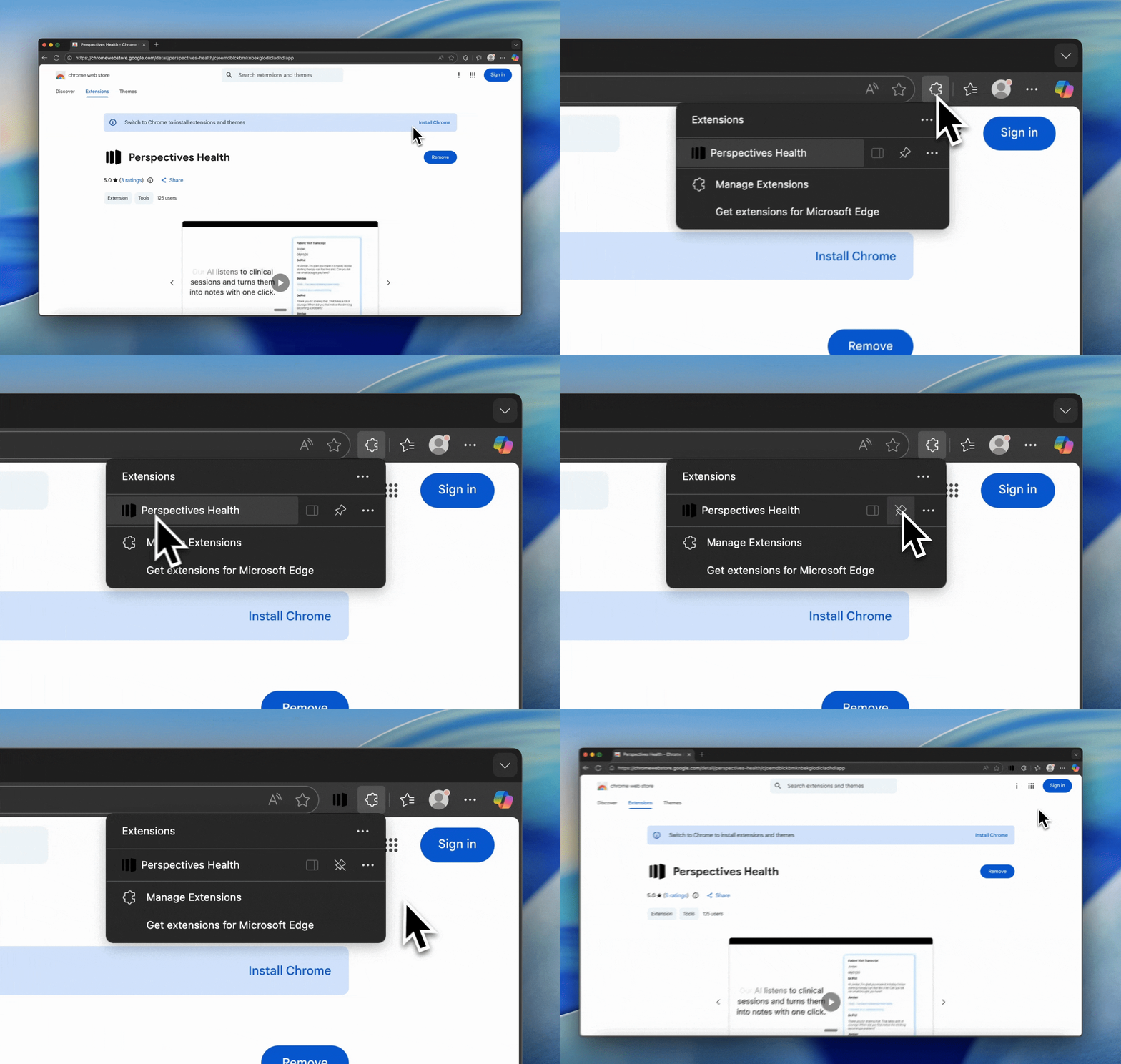
After installation, click the puzzle icon in your browser and pin Perspectives so it stays visible in your toolbar.
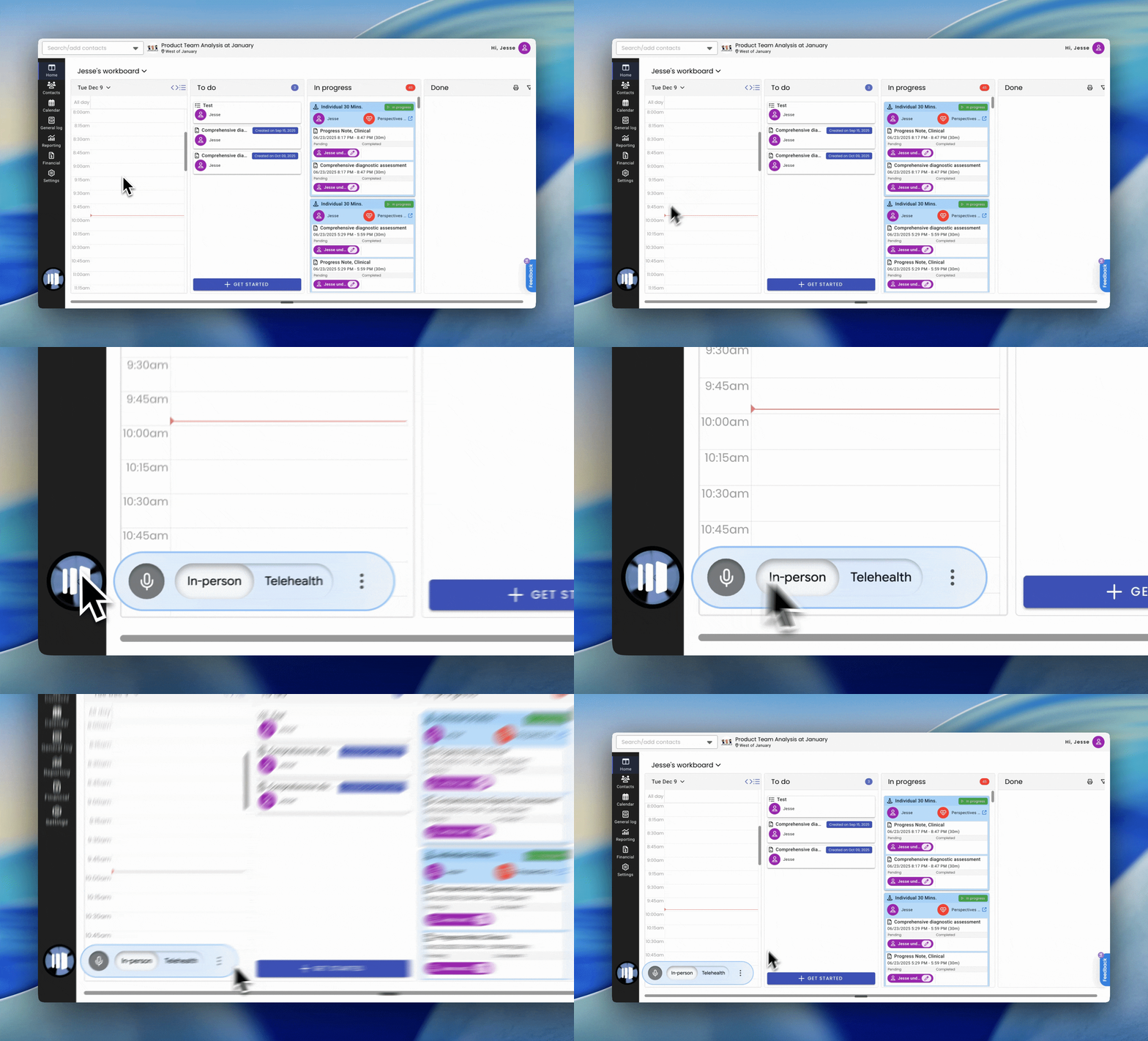
When you log in to BestNotes, Perspectives will appear in the bottom right corner.
Consent must be obtained and documented before recording a session with a patient. There are several options for how to go about this.
Perspectives allows you to record a session and automatically generate your notes.
Go to the tab for your Google Meet, Zoom, or Microsoft Teams call. Then, select telehealth on the orb, and hit record.
You will be prompted to click the extension in your toolbar. Click the extension and the recording will start. From there, continue as usual.